Dynamic Result Sets in IBM App Connect Enterprise with PostgreSQL
In this blog, we will learn about the dynamic result sets in IBM App Connect Enterprise with PostgreSQL.
Introduction
In integration projects, we constantly pick up new tools and technologies that influence the way we tackle challenges and build solutions. One of the moments led me to explore how PostgreSQL can return multiple sets of results, and the same can be integrated into IBM App Connect Enterprise. The goal was pretty simple: to retrieve different types of data efficiently through a single interaction. Having done so, I gained valuable insights into database behaviors, configurations, and smooth connectivity between systems, which turned out to be a great opportunity to expand hands-on knowledge and strengthen real-world integration skills.
PostgreSQL:
PostgreSQL is a widely trusted open-source database valued for its reliability, flexibility, and solid performance. It works well for everything from small applications to large enterprise systems, while delivering consistent performance and scale even if the demand grows.
Dynamic Result Sets:
A dynamic result set refers to a stored procedure or function returning different sets of data based on the request or logic inside it. Instead of providing the same structured output always, the results vary on a conditional basis.
Dynamic result sets can be utilised in the following cases:
- When we need dynamic response structures.
- When multiple queries are needed to run concurrently.
- When we want to reduce the number of database calls made from within an application
To verify and assess the functionality:
- Install PostgreSQL along with its provided basic utilities and the ODBC driver.
- Configure the database, create a sample table, and build a stored procedure that returns dynamic result sets and or different responses as per runtime values.
- Once the stored procedure is created, test it using the Postgres tools.
- Create and configure a data source for PostgreSQL using ODBC for use with IBM App Connect Enterprise.
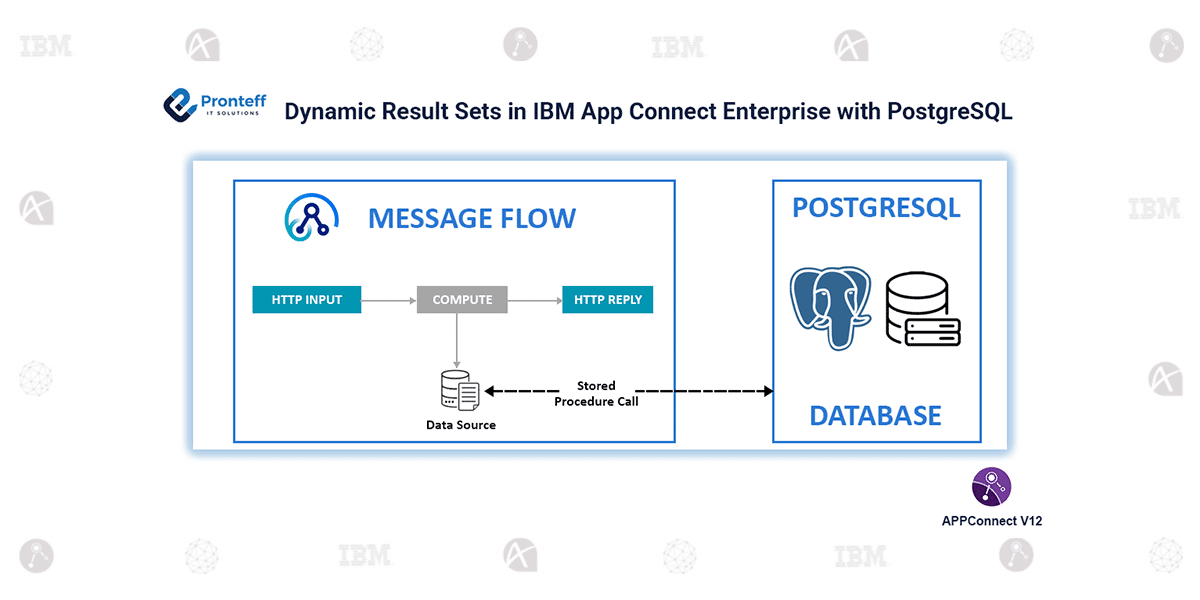
- Create a new application in IBM App Connect with the following HTTP Input → Compute → HTTP Reply flow.
- Configure the Compute node to call the stored procedure and handle multiple result sets, which include dummy cursor parameters.
- Deploy the application and test the API to check data retrieval from multiple result sets.