Customizing Analytics Event Data in IBM API Connect
In this blog, we will learn how to customize Analytics Event Data in IBM API Connect.
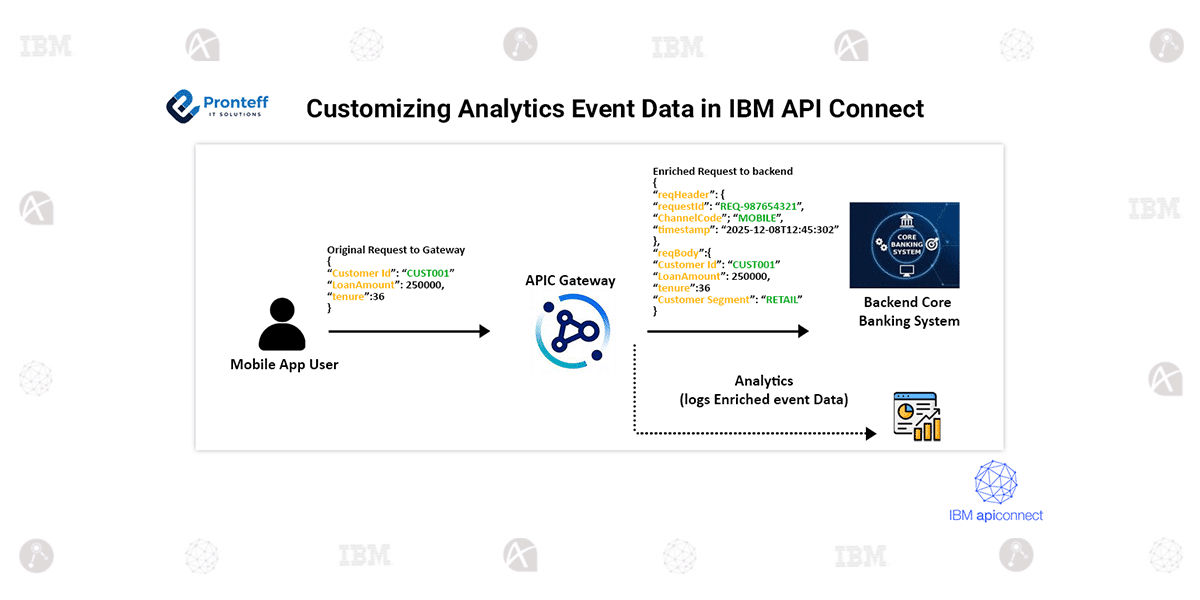
In IBM API Connect, every API call that reaches the gateway generates an API event. These events are sent to API Connect Analytics, which helps teams monitor usage, diagnose issues, and understand traffic patterns. By default, the event data includes standard request and response information based on the configured logging policy. However, many real-world scenarios require capturing additional details—especially when the API gateway modifies messages before sending them to backend systems.
In complex integrations, it is common to enrich or transform the request payload before invoking the backend service. In such cases, teams often need to log both the original request and the modified request for debugging, auditing, or compliance reasons. The same applies to responses: an API may transform or enrich the backend’s response before returning it to the client. Capturing the backend’s raw response can be extremely valuable during troubleshooting.
API Connect supports this requirement by allowing developers to customize the API event data that is sent to Analytics. This is achieved by adding a Log policy in gather-only mode, followed by a GatewayScript or Set-Variable policy to inject custom fields into the event record.
A Log policy in gather-only mode collects log data without immediately sending it. Once added, a GatewayScript policy can modify the log object and append custom information. For example, the modified request body can be stored in a custom field inside the event log:
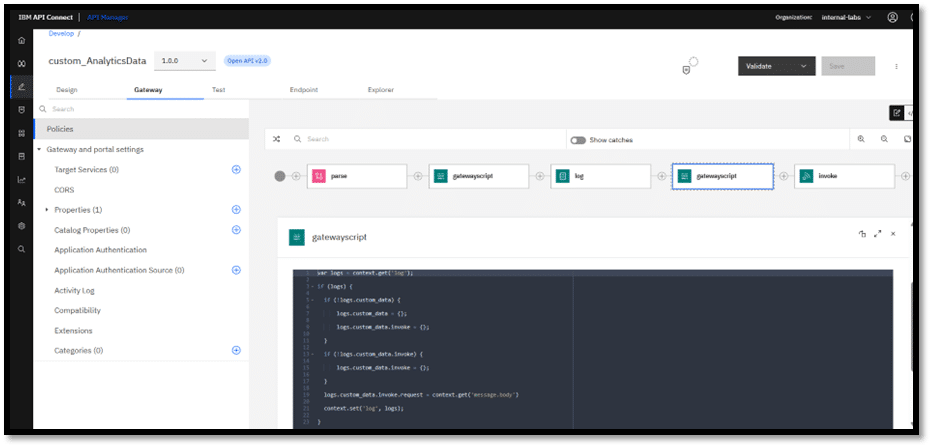
Developers who prefer configuration over scripting can achieve the same result using a Set-Variable policy by setting values inside the log.custom_data object.
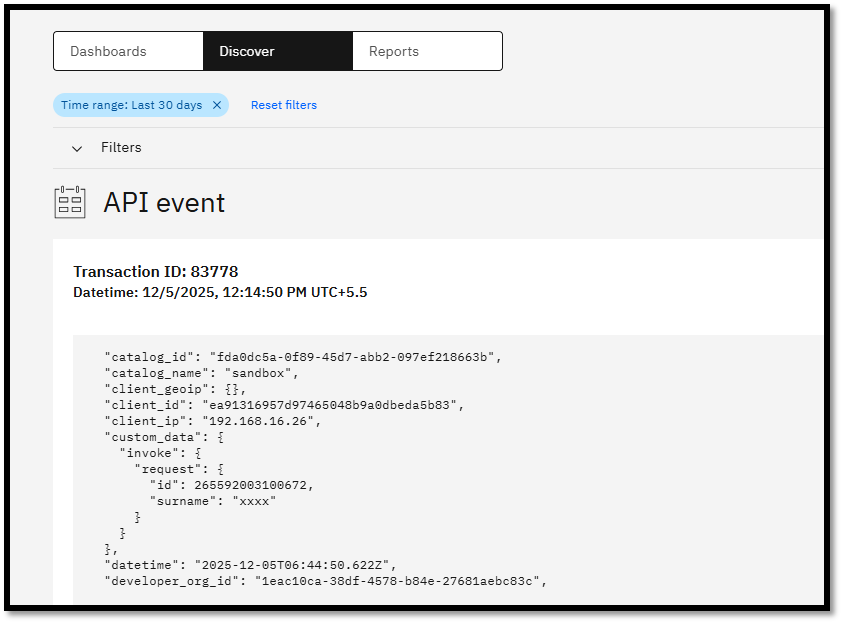
Once the API is called, the enriched event data—including all custom fields—appears in API Connect Analytics. This approach offers a flexible and powerful way to capture transformed payloads or additional metadata, providing deeper insights and simplifying debugging activities in complex API integrations.
As shown in the screenshot below, the customized event fields are now visible in Analytics.