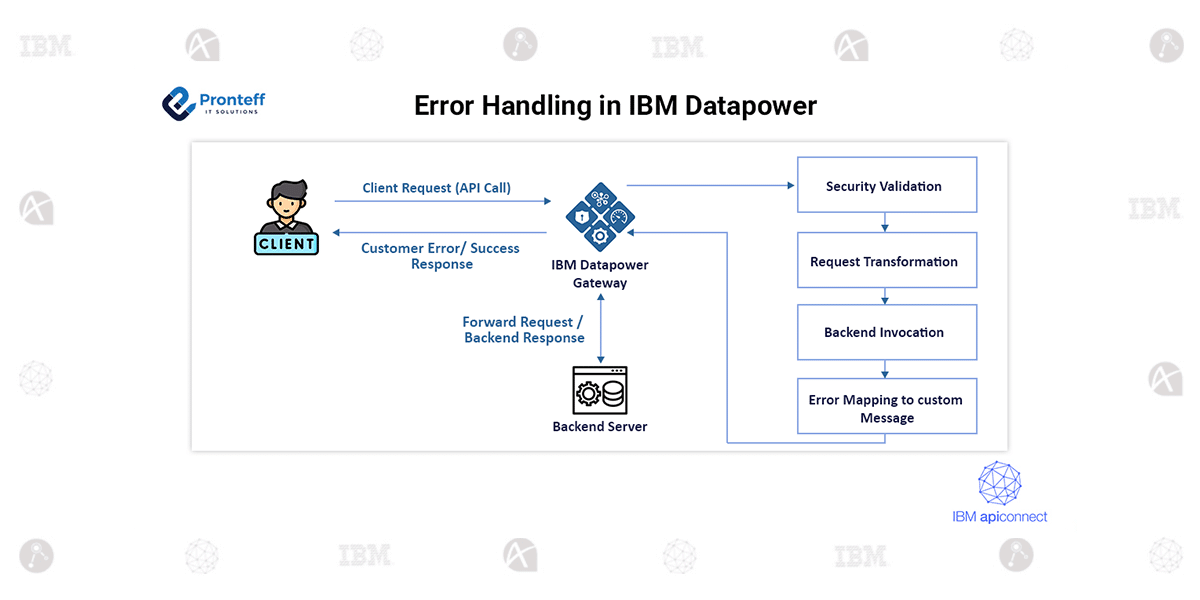
Error Handling in IBM Datapower
In this blog, we will learn about error handling in IBM Datapower.
What is Error Handling?
Error Handling is the process of detecting, managing, and responding to errors that occur while a program is running. Errors are unexpected events that disrupt the normal flow of a program and may cause it to crash, behave incorrectly, or produce invalid results. Effective error handling ensures that programs remain stable, reliable, and user-friendly even when problems arise.
Errors can occur for many reasons, such as invalid user input, missing files, network failures, hardware issues, or logical mistakes in the code. Without proper error handling, these issues can cause a program to terminate abruptly, leading to poor user experience and potential data loss. Error handling allows developers to anticipate possible problems and define how the program should respond when those problems occur.
One of the main goals of error handling is error detection, which involves identifying when something has gone wrong. Programming languages provide various mechanisms for detecting errors, such as error codes, exceptions, or return values. Once an error is detected, the next step is error management, where the program decides how to handle the issue. This may include retrying an operation, using a default value, logging the error for debugging, or notifying the user with a meaningful message.
Why do we need Error Handling in IBM DataPower?
To Prevent Service Disruption
When a back-end service fails, or an unexpected condition occurs (e.g., network timeout, invalid data), DataPower can catch the error and respond gracefully instead of crashing or hanging.
Implementation:
Step 1: Open the DataPower
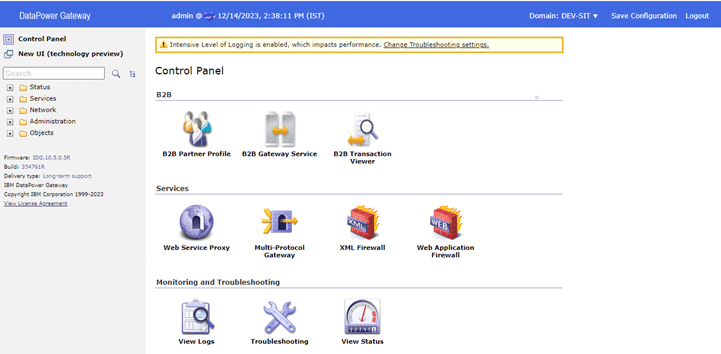
We can handle the errors in two ways in DataPower.
- Error-rule
- Error-policy
Error-rule:
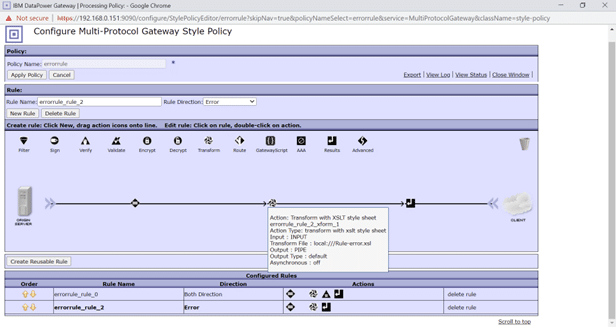
When we create a processing rule, we should choose the error as the rule direction. If any error occurred in the processing policy it will be handled by the error rule.
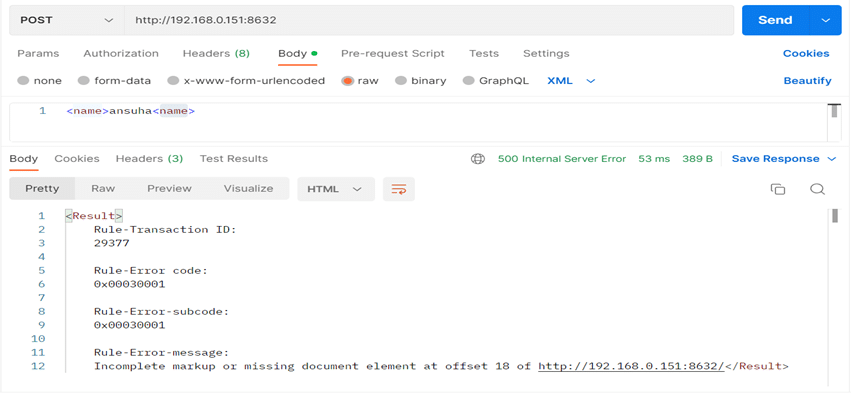
Go to Postman and hit the URL with an unformatted request.
Error-policy:
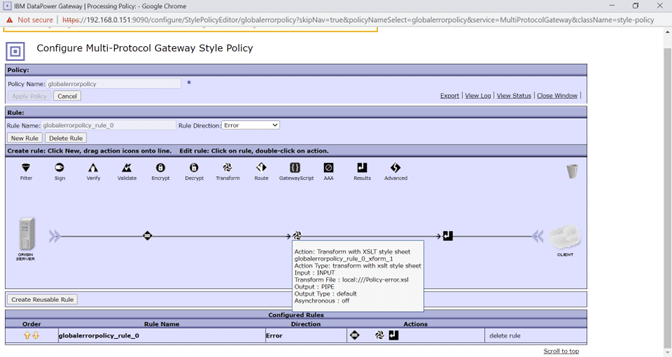
We should create a processing rule for the error policy, then we should choose the error as the rule direction. If any error occurred in the processing policy if the error is unable to be handled by the error rule, then the error policy will come into action and handle the errors.
Firstly, we have to create a processing policy as follows.
Go to MPGW. And configure it.
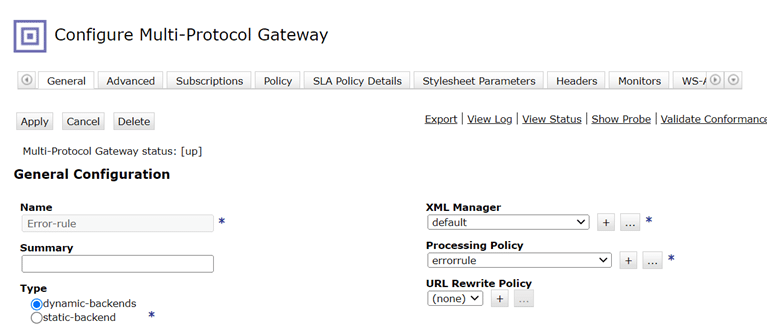
Create a processing policy for MPGW.
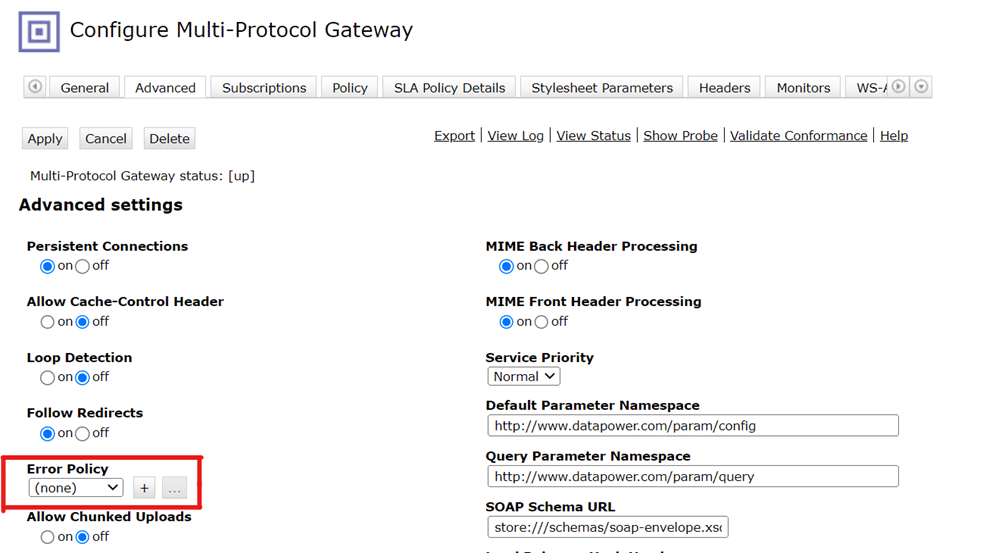
Click on advanced and configure the error policy.
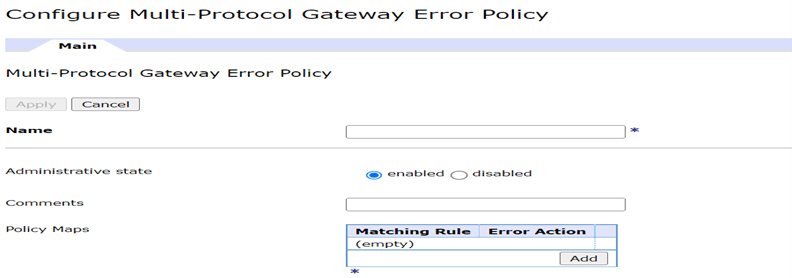
Add the policy maps
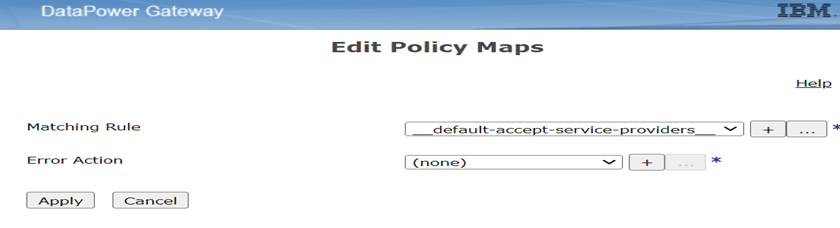
Configure the error action
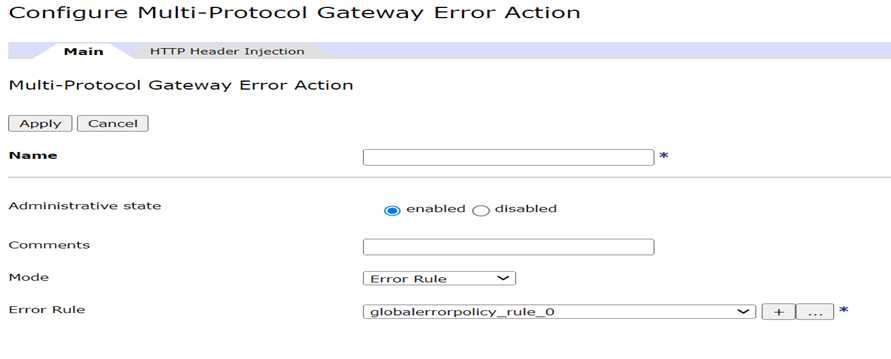
In the error rule, keep the rule that we created earlier (globalerrorpolicy).
Now go to Postman and hit the URL with an unstructured request.