Google Gemini Integration in IBM App Connect
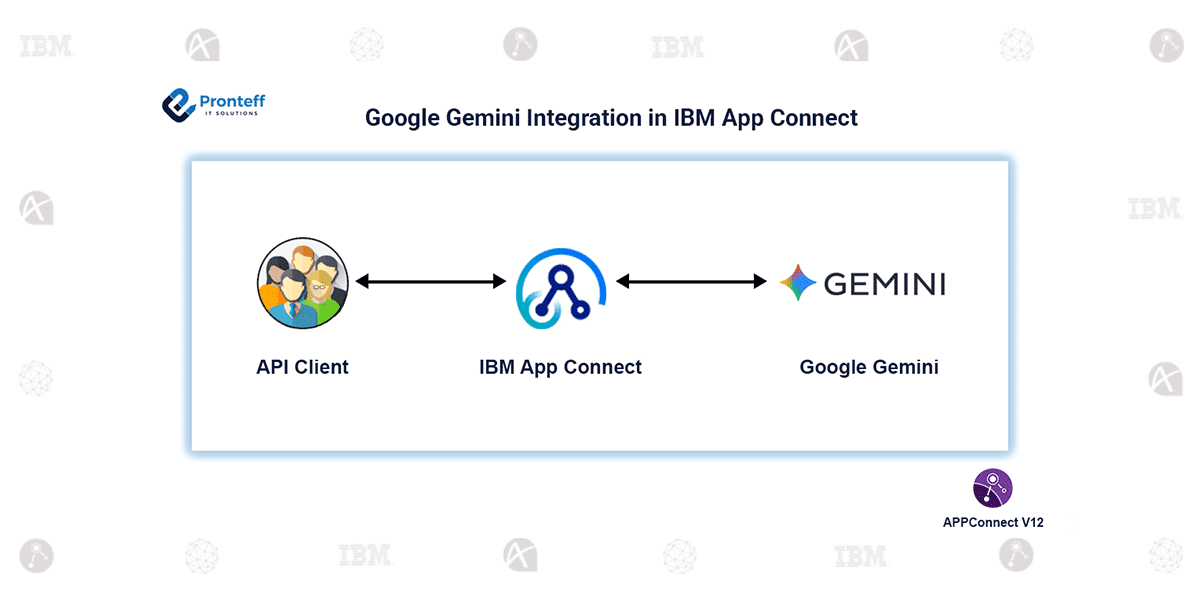
In this blog, we will explore how to integrate Google Gemini, Google’s powerful multimodal AI model, with IBM App Connect to enhance automation and intelligence across enterprise workflows. It offers advanced capabilities such as natural language understanding, content generation, summarization, code assistance, and reasoning—all of which can be seamlessly embedded into integration flows using App Connect.
By combining Gemini’s AI power with App Connect’s robust integration features, organizations can enrich their existing systems with smarter processing. For example, an incoming request from a banking system can be summarized using Gemini before being forwarded to downstream services. Customer data can be analyzed to generate personalized responses, and documents can be classified or transformed on the fly.
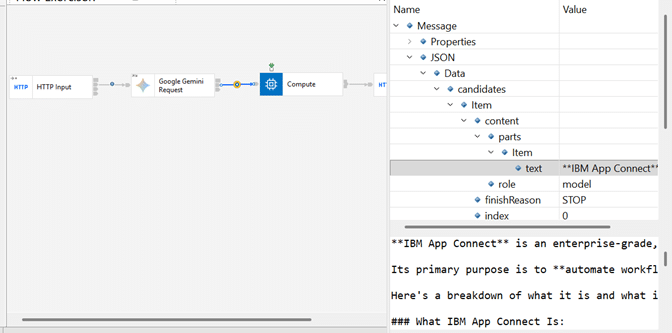
Once configured, App Connect can invoke Gemini APIs through the HTTP dedicated Google Gemini Request Node (Google AI connector). This enables direct communication with Gemini for performing tasks such as generating text, evaluating prompts, summarizing large inputs, or retrieving structured outputs.
Configuration Steps
- Design the Message Flow
Build a message flow that includes a Google Gemini Request Node to interact with Google Gemini’s AI. This node is responsible for sending prompts and receiving AI-generated responses. - Create a Policy for Secure Credentials
Configure a policy project and assign a work directory along with a Vault key. These settings help ensure the secure management of API keys and tokens required for Gemini API access. - Set Up the Independent Integration Server
Deploy an Independent integration server that uses the same work directory and Vault key as the policy. This enables consistent credential handling across the flow. - Obtain API Credentials
Fetch your Google API Key for the Gemini model from the Google Cloud Console. This key is required to authenticate the requests made from App Connect. - Configure the Node
Add the API Key to the policy and update your Google Gemini Request node and the required JSON payload structure for prompts. - Invoke Gemini from the Flow
Once everything is configured, the integration flow can send data to Gemini—such as text input, customer details, or documents—and receive enriched responses based on the configured prompt.
Conclusion
Integrating with IBM App Connect brings AI-powered intelligence into enterprise integrations. By leveraging Gemini’s capabilities through secure API calls, organizations can automate insights, generate smart content, and enhance decision-making within their existing workflows. This combination transforms App Connect into a platform that not only connects systems but also adds intelligent understanding to every integration.
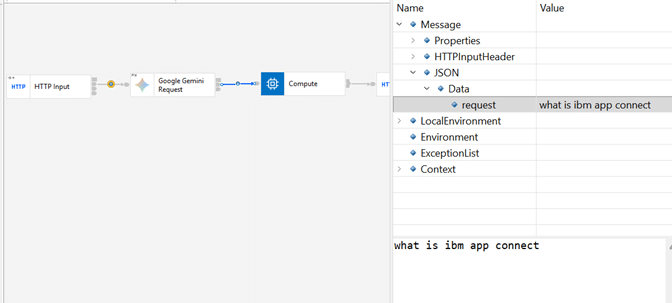
Sending prompt to Google Gemini Request node:

Response for prompt from Google Gemini Request node: