Integrating Clicksend Request Node with IBM ACE
In this blog, we will learn how to integrate clicksend request node with IBM ACE.
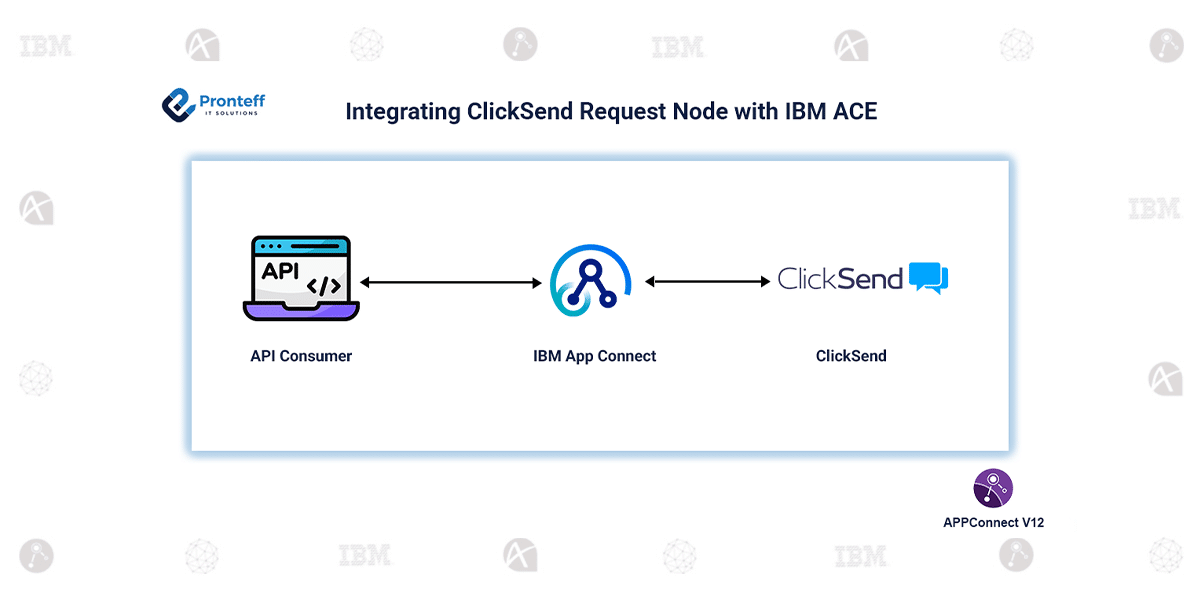
In modern integration ecosystems, enabling smooth communication between applications and external services is crucial. Organizations increasingly rely on messaging capabilities such as SMS, alerts, and notifications to engage users in real time. The ClickSend Request node in IBM App Connect Enterprise (ACE) offers a simple and efficient way to integrate these communication features directly into enterprise message flows.
The ClickSend Request node allows ACE applications to interact with the ClickSend platform and perform operations like sending SMS, handling contact lists, and running messaging campaigns. It follows a synchronous processing model, which means requests are executed instantly and responses are returned within the same flow. This behavior makes it highly suitable for real-time scenarios such as OTP verification, transaction alerts, and system notifications where immediate feedback is important.
Configuration:
- Start by creating a policy in ACE. Add external directory vaults and configure credentials by setting your ClickSend username (email) and API key as the password.
- Open the ClickSend Request node properties and click on Launch Connector Discovery. Select the created policy to establish the connection.
- Once discovery is launched, select the required action. For example, choose Send SMS Message and save the configuration.
- After saving, the node automatically populates the operation, object, and request schema, making it easier to proceed without manual configuration.
- Deploy the policy and application to the integration server. Test the flow using an HTTP client or Postman.
One of the main benefits of using the ClickSend Request node is its simplicity. Developers can integrate messaging functionality without writing complex API code. The Connector Discovery feature speeds up configuration, while policy-based authentication ensures credentials are handled securely. Additionally, built-in error handling mechanisms improve reliability and make troubleshooting easier. This approach significantly reduces development time while maintaining robust integration standards.
Conclusion:
The ClickSend Request node simplifies communication integration in IBM ACE by providing a ready-to-use connector for messaging services. It enhances productivity, ensures faster implementation, and enables businesses to build scalable, event-driven communication solutions efficiently.