

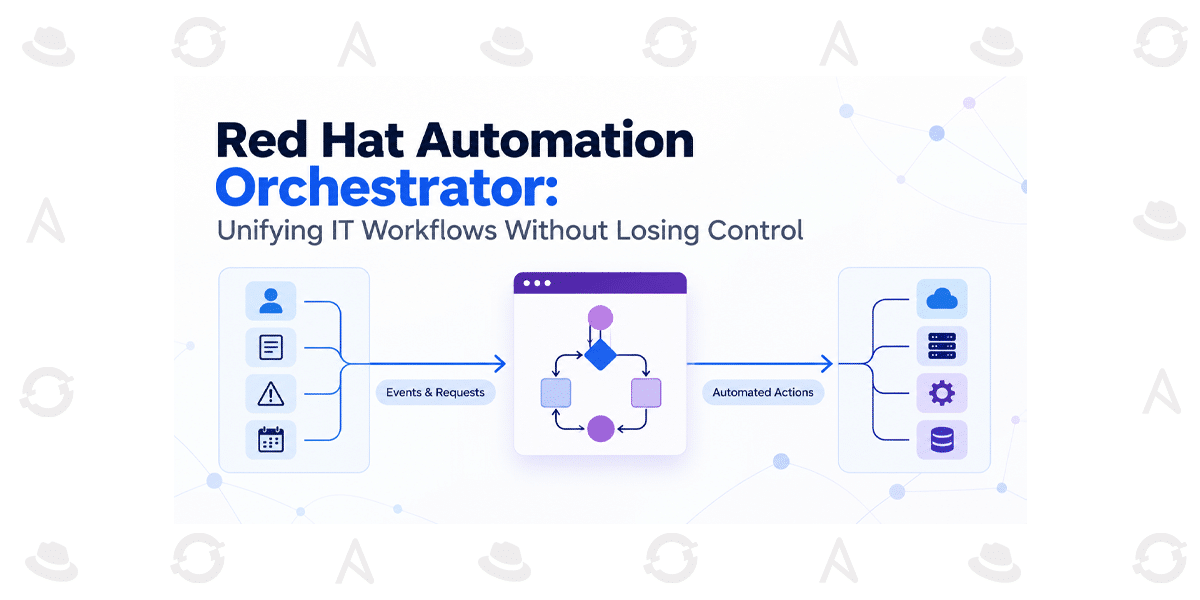
Red Hat Automation Orchestrator: Unifying IT Workflows Without Losing Control
How to connect existing Ansible automation, event-driven triggers, and AI-assisted decisions into workflows that remain governable when production gets complicated.
A patch is ready. The affected systems have been identified. But before the change can run, someone must verify the risk, obtain approval, coordinate multiple teams, and confirm that the service has recovered. The playbook is rarely the hardest part. The handoffs are.
This is the gap workflow orchestration is meant to address. Red Hat automation orchestrator extends Ansible Automation Platform with a visual way to coordinate automation steps, decision logic, triggers, and—where appropriate—AI task agents. The important question is not whether a workflow can be drawn. It is whether the workflow can be trusted when a dependency is slow, an event arrives twice, or a proposed action is unsafe.
Why orchestration becomes an enterprise problem
Most organizations do not start from zero. They already have playbooks, job templates, approval processes, monitoring systems, and teams with established responsibilities. Complexity appears when a business outcome crosses those boundaries.
Consider a vulnerability-remediation process. An alert identifies a potentially affected host. The team needs to validate the finding, determine business criticality, select the right remediation, obtain authorization for a sensitive change, execute it, and verify the result. Each individual task may already be automated, but the end-to-end process can still depend on manual coordination and tribal knowledge.
Automation performs a task. Orchestration coordinates tasks, decisions and people toward an outcome. More orchestration does not automatically mean more autonomy; it should mean clearer control over how work proceeds.
A realistic scenario: from alert to verified remediation
Imagine an operations team receives a vulnerability alert for a group of servers. The event starts a workflow that gathers relevant context, evaluates whether the affected assets match the remediation policy, and selects a known automation job. A task agent may help summarize logs or recommend a next step, but a high-impact action waits for an authorized person to approve it. The established Ansible execution environment performs the remediation, and a separate validation step checks whether the intended state was reached.
If the check fails, the workflow should not quietly declare success. It should route the case to a defined recovery or investigation path, preserving enough context for an operator to understand what happened. That is the difference between a connected sequence and an operationally designed workflow.
How the automation orchestrator fits into the architecture
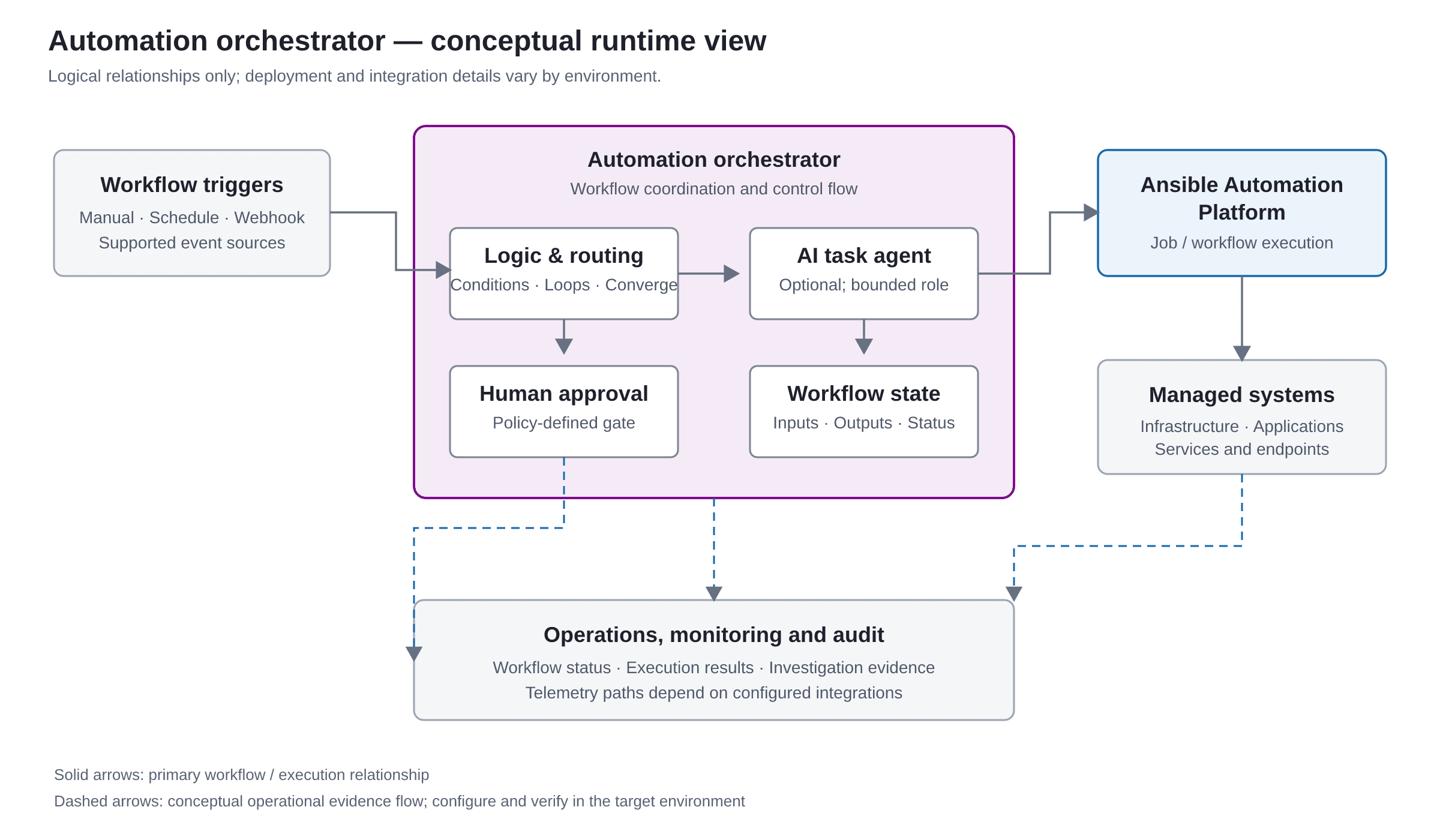
The automation orchestrator provides a workflow canvas for connecting triggers, control-flow logic, task-agent steps, and Ansible Automation Platform execution. The Ansible platform remains the execution foundation for the job templates and automation assets it already manages. The orchestrator adds a way to coordinate them as part of a broader process.
The runtime mental model has four layers:
- Initiation: a manual request, schedule, webhook, or supported event-driven trigger starts work.
- Coordination: workflow logic evaluates conditions, routes branches, waits for approval, and passes relevant outputs between steps.
- Execution: an Ansible job or workflow template carries out the established infrastructure or application operation.
- Evidence and operations: teams observe workflow status, inspect execution history, and use operational controls to investigate exceptions.
What it is—and what it is not
It is not a choice between deterministic automation and AI. A well-designed workflow can combine deterministic job execution with conditional routing, human decisions, and AI-assisted interpretation at carefully bounded points. The key is to keep the authority to make consequential changes explicit.
| Approach | Best fit | Trade-off to consider |
|---|---|---|
| Individual job templates | A repeatable, bounded automation task | Cross-team sequencing and exception handling may remain external or manual. |
| Ansible workflow job templates | Coordinating related Ansible jobs with established workflow behavior | Assess whether the existing model covers the required triggers, decision points and broader orchestration needs. |
| Automation orchestrator | Composing Ansible execution with broader workflow logic, supported triggers, approvals, and optional task-agent steps | Adds another workflow lifecycle and integration surface that must be governed and operated. |
| General-purpose cloud or application workflow service | Processes deeply tied to a specific cloud or application ecosystem, or requiring its native durability model | May introduce a separate control plane, identity model, and operating skill set alongside Ansible. |
These options are not universally interchangeable. Compare the actual requirements: supported integrations, workflow duration, recovery semantics, deployment constraints, audit evidence, team ownership, and licensing. Avoid selecting a platform based only on the visual designer.
A staged implementation approach
Phase 1
Assess the process, not just the playbooks
Map the business outcome, current handoffs, trigger sources, decision points, service dependencies, and failure paths. Identify where work stalls or ownership becomes ambiguous.
Phase 2
Design boundaries and ownership
Decide which system owns each action, which team approves risk, what data may move between steps, and where the workflow must stop. Keep high-impact actions distinguishable from low-risk information gathering.
Phase 3
Onboard existing automation
Review the maturity of job templates, inventories, credentials, execution environments, and dependencies before associating them with the workflow. Reuse should not bypass the validation that made the original automation trustworthy.
Phase 4
Associate triggers and integrations
Confirm network reachability, authentication, permission scope, event quality, and ownership for each integration. Establish how duplicate, delayed, or malformed events will be recognized and handled.
Phase 5
Secure the decision points
Apply least privilege to people, integrations, and execution identities. Require human approval where the impact warrants it, and validate AI-generated recommendations against explicit policy before allowing downstream execution.
Phase 6
Validate failure behavior
Test success and failure paths, unavailable dependencies, denied permissions, rejected approvals, repeated triggers, and incomplete remediation. Verify that the workflow distinguishes a failed task from a verified business outcome.
Phase 7
Operate and improve
Define ownership, service objectives, alert thresholds, audit retention, version promotion, and rollback expectations. Review exceptions and workflow changes as part of normal operational governance.
What it protects—and what it does not
Orchestration can make the sequence of actions, decision gates, and execution relationships more visible. When correctly configured, platform permissions, approvals, and audit capabilities can help teams govern who may initiate or authorize work and investigate what happened.
It does not by itself guarantee that an underlying playbook is safe, that an AI recommendation is correct, that every connected system enforces least privilege or that a partially completed change can be rolled back. Those outcomes depend on the design and controls across the whole operating environment.
- Identity: use dedicated, appropriately scoped identities and review credential ownership and rotation.
- Approval: make the approver’s authority and the action being approved unambiguous; do not rely on an approval label alone.
- AI boundaries: treat model output as input to a controlled decision, not as proof or authorization.
- Audit: establish which records are retained, where they are forwarded, and how they support investigations and compliance needs.
- Recovery: define compensating actions and escalation paths for changes that cannot be safely reversed automatically.
Common mistakes and trade-offs
Automating a broken process
A workflow can make a confusing process run faster without making it correct. Resolve ownership, policy, and exception handling before encoding the sequence.
Assuming retries are harmless
A retry may repeat a change that already succeeded while its confirmation was lost. For each action, determine whether it is safe to repeat, how completion is verified, and when an operator must intervene.
Giving AI too much authority
AI can help interpret unstructured context, but its output can be incomplete or wrong. Keep permissions narrow, validate outputs and use deterministic controls or human review for sensitive operations.
Overusing approval gates
Approvals on every low-risk step create delays and encourage workarounds. Match review requirements to impact, reversibility and policy—not to a blanket assumption that more approvals always mean more security.
Ignoring workflow lifecycle management
Workflow definitions evolve. Establish review, testing, version promotion, and rollback practices, and check release notes before upgrades because API behavior, credential lifecycle, and health checks can change between releases.
Troubleshooting: symptoms and likely causes
| Symptom | Potential cause | What to investigate |
|---|---|---|
| A workflow starts but cannot launch an Ansible job | Integration is unavailable, endpoint is unreachable, or credentials/permissions are insufficient | Integration health, network path, credential validity, access scope, and job-template visibility. |
| A workflow pauses indefinitely | An approval or external dependency has not completed, or its expected response is not arriving | Pending step state, approver ownership, trigger delivery, timeout expectations, and escalation path. |
| The same remediation appears more than once | Duplicate events, repeated manual starts or retry behavior | Event identity, trigger configuration, repeat-safety of the underlying action, and completion verification. |
| A branch takes an unexpected path | Input data is missing, typed differently than expected, or interpreted incorrectly | Step inputs and outputs, condition assumptions, validation results and test coverage for boundary cases. |
| An AI-assisted step produces a poor recommendation | Insufficient context, unsuitable knowledge, ambiguous task framing, or an unvalidated output | Input quality, knowledge scope, model/provider availability, output validation and safe fallback behavior. |
| Execution succeeds, but the service remains unhealthy | The automation job completed, but the desired service outcome was not verified | Independent post-change checks, application health signals, downstream dependencies, and recovery criteria. |
These are diagnostic starting points, not claims that every cause is specific to the automation orchestrator. Confirm behavior against the deployed version and integration.
Frequently asked questions
What is Red Hat Automation Orchestrator?
It is a workflow orchestration capability for Ansible Automation Platform that coordinates automation execution with workflow logic, supported triggers, approvals, and optional AI task-agent steps.
Is automation orchestrator the same as Ansible workflow job templates?
No. Ansible Automation Platform already supports workflow job templates that connect automation jobs. Automation orchestrator adds a distinct workflow canvas and broader orchestration capabilities. Evaluate the specific workflow requirements and supported version before choosing between them.
Does it replace existing Ansible playbooks?
It is designed to compose and reuse existing automation rather than require every playbook to be rewritten. Individual assets may still need review for inputs, permissions, reliability, and suitability for unattended execution.
Can AI execute changes automatically?
AI task-agent steps can participate in workflows, but an organization should define what an agent may recommend, what it may access, and which actions require deterministic validation or human approval. The presence of a workflow feature is not a substitute for a security policy.
Can an automation orchestrator run in disconnected environments?
Red Hat documents an air-gapped deployment topology. Suitability still depends on the target release, required integrations, image and dependency availability, and the organization’s operational constraints.
What should teams evaluate before production rollout?
Validate subscription and version support, deployment topology, network reachability, least-privilege access, workflow lifecycle controls, audit retention, failure recovery, and post-action verification. Test exceptional paths, not only the happy path.
The takeaway: orchestrate outcomes, not just tasks
An automation orchestrator can help teams connect existing Ansible execution with richer workflow logic and governed decision points. The value is not the canvas itself. It is the ability to make handoffs explicit, keep authority bounded, and define what happens when the expected path fails.
Start with one operational process where coordination is a real bottleneck. Make its ownership, failure behavior, and success criteria clear before adding more branches or AI-assisted steps. Then measure whether the end-to-end outcome has become more reliable—not simply whether fewer clicks are needed.