
Secure Browser-Based Transfers with IBM Aspera HTTP Gateway
In this blog, we will learn how to secure browser-based transfers with IBM Aspera HTTP Gateway.
Overview
Many organizations require a reliable and secure method to exchange files with users who cannot install specific transfer software due to company policies, device limitations, or third-party access needs.
IBM Aspera HTTP Gateway meets this need by offering a browser-based file transfer solution that works smoothly with the IBM Aspera platform.
Understanding IBM Aspera HTTP Gateway
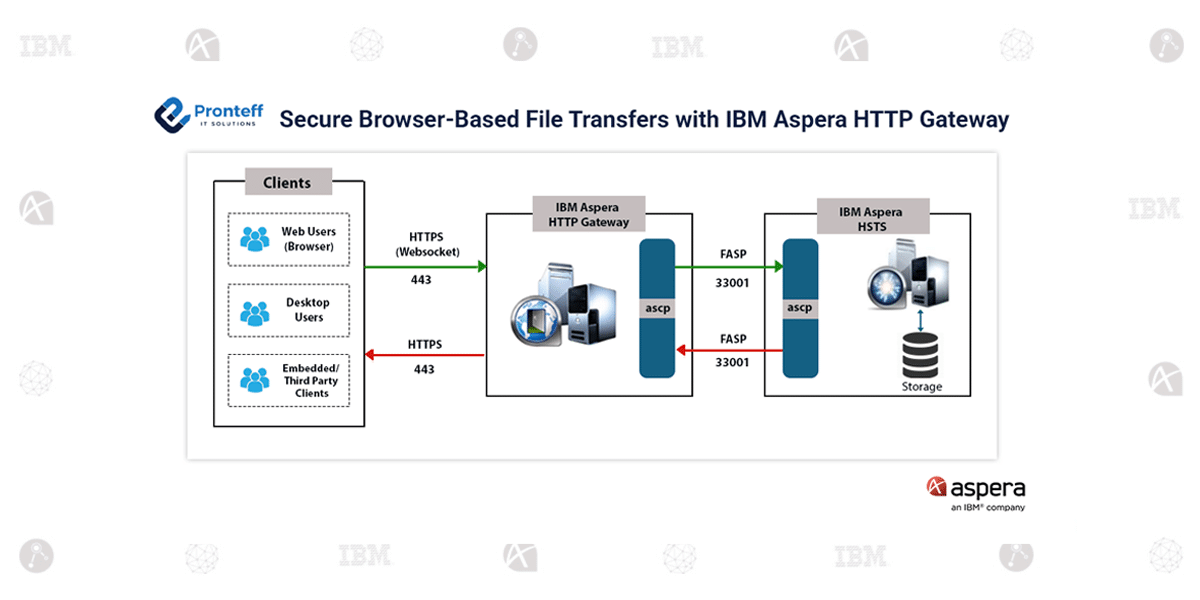
IBM Aspera HTTP Gateway is a web-based transfer tool that enables users to upload and download files using standard web browsers.
It uses HTTP and HTTPS protocols, allowing secure communication without the need for local transfer software. The gateway acts as a bridge between web applications and Aspera transfer servers, enabling businesses to deliver a simple and secure file transfer experience while retaining control over operations.
Advantages of IBM Aspera HTTP Gateway
Web-Based Accessibility:
Users can start file uploads and downloads directly from supported browsers without installing extra software or plugins.
Secure Data Transmission:
The system uses HTTPS and SSL/TLS encryption to protect data during transfer across networks.
Seamless Integration:
IBM Aspera HTTP Gateway can be added to current Aspera setups, customer portals, and enterprise web platforms with little disruption.
Deployment Flexibility:
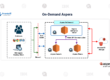
The gateway can be placed in different network setups, including those with load balancers, reverse proxies, and DMZs.
Improved User Convenience:
By eliminating the need for software installation, organizations can offer a more accessible file transfer experience to employees, customers, vendors, and business partners.
Operational Workflow:
The file transfer process works as follows:
- A user visits a web-based application or portal.
- The user starts a file upload or download through the browser.
- The request is handled by IBM Aspera HTTP Gateway.
- The gateway coordinates with the Aspera transfer environment in the background.
- The file transfers are completed securely with visibility and control for administrators.
Typical Business Scenarios:
- Partner and Supplier File Exchange
Organizations can share information with external partners and suppliers securely, without requiring endpoint software installation.
- Customer Self-Service Uploads
Customers can submit documents, forms, reports, or business data through a secure web interface.
- Digital Media Distribution
Creative teams can exchange large media files and content using a web-based experience.
- Controlled Enterprise Environments
Businesses under strict desktop management policies can provide secure file transfer options without changing endpoint settings.
Summary:
IBM Aspera HTTP Gateway helps extend enterprise file transfer capabilities to users who only use web browsers.
By combining ease of access, secure communication, and compatibility with existing Aspera infrastructure, it allows organizations to simplify file exchange processes while maintaining the security and governance standards expected in enterprise settings.