Generic File Logging in IBM ACE Using Context Trees
In this blog, we will learn how to log a generic file in IBM ACE using context trees.
In IBM App Connect Enterprise (ACE), logging helps developers understand how messages move through a message flow and makes it easier to find and fix issues. When different systems communicate through integrations, it is useful to record request data, response messages, and flow execution details.
One helpful feature in ACE for this is the Context Tree. The Context Tree automatically stores runtime information such as the flow name, node name, integration server details, and timestamp while the message is being processed. Because this information is already available, developers do not need to store extra values in the Environment tree.
By using the Context Tree, developers can create a simple and reusable logging solution. The flow can capture execution details and message data, and then write them into a log file. This approach keeps logging easy to manage and helps developers clearly see what is happening inside the integration flow.
Configuration Steps:
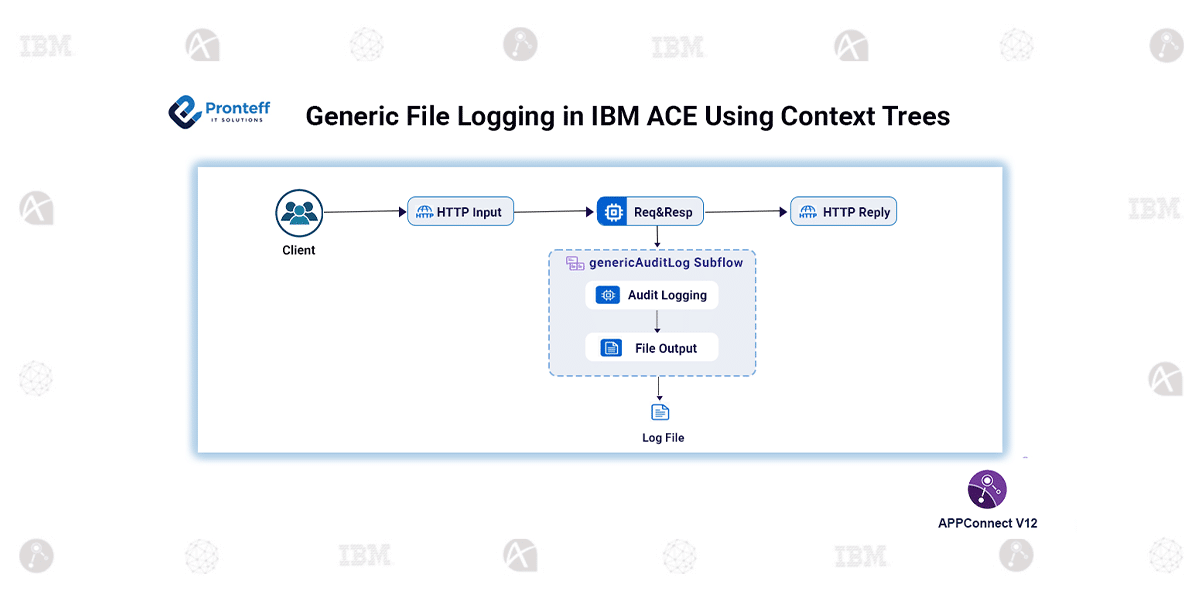
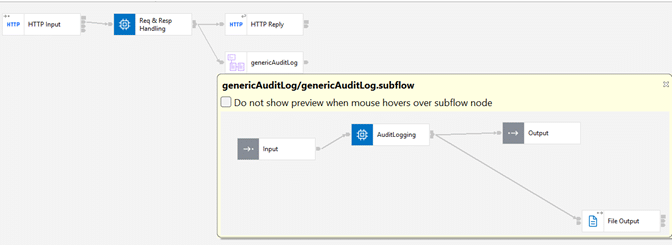
- Create a message flow with HTTP Input → Compute → Logging Subflow → HTTP Reply to handle request, process it, log details, and send response.
- Build a reusable logging subflow using Input → Compute → File Output nodes to manage all logging activities.
- In the Compute node, capture important details like flow name, application name, timestamp, and server info to create meaningful logs.
- Configure the File Output node with a folder path and file name, and enable append mode to store logs continuously.
- Deploy the flow, send a test request, and verify that request, response, and execution details are logged correctly.
Conclusion:
The context tree is not just another feature for handling payloads; it provides a structured way to access runtime information about the flow. Instead of storing additional values in the Environment tree or creating custom workarounds, developers can directly retrieve execution details from the context structure. This logging approach does not replace good flow design, but it offers clear visibility into how messages are processed. By defining the required log details and adding the logging subflow, the context tree automatically provides the execution data needed for monitoring.