Driving IT Automation with Agentic AI in Red Hat Ansible MCP Server
In this blog, we will learn how to drive IT Automation with Agentic AI in Red Hat MCP Server.
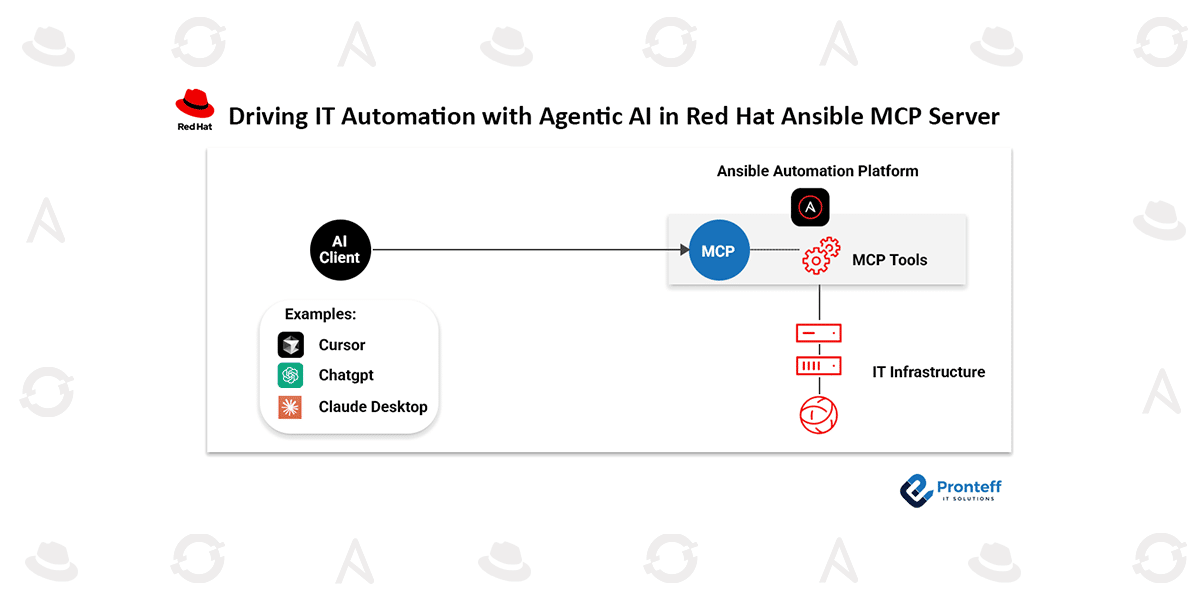
As Red Hat continues to enhance AI-driven capabilities within Ansible Automation Platform, the MCP server has been introduced as a technology preview in version 2.6.4. This MCP server functions as a connection layer between your preferred MCP client and the Ansible Automation Platform, enabling seamless interaction with modern AI tools such as Cursor and Claude.
What is the MCP server for Ansible Automation Platform?
The MCP server is an implementation of the Model Context Protocol that allows Large Language Models (LLMs) to communicate with and control the Ansible Automation Platform using natural language. Simplifying how automation tasks are executed improves operational efficiency while preserving enterprise-level security and governance standards.
In essence, it introduces a conversational interface to your automation environment, allowing users to trigger workflows, retrieve information, and interact with existing automation processes through simple dialogue—without bypassing established controls.
How it works and why it matters
With the MCP server in place, AI tools and LLMs can directly interact with the Ansible Automation Platform. This enables users to explore, analyze, and manage automation environments, as well as orchestrate workflows through natural language commands.
The MCP server is deployed as part of the standard platform installation and includes capabilities such as job control, inventory handling, and compliance management. Administrators can configure it in two modes:
- Read-only mode for safe monitoring and querying
- Read-write mode to allow execution of automation tasks and changes
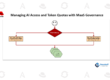
Security remains a top priority. The MCP server uses a dual-layer protection model that combines system-level and user-level permissions. By integrating with platform APIs, it enforces role-based access control (RBAC) and governance policies, ensuring that AI-driven actions are always aligned with defined permissions and controls.
Additionally, the natural language interface reduces complexity in IT automation, making it accessible to both experienced professionals and beginners.
Getting started
The MCP server is available as a technology preview in Ansible Automation Platform 2.6.4, offering users an opportunity to explore AI-powered automation capabilities.
Deployment options
The MCP server supports two primary deployment environments:
- On Red Hat Enterprise Linux (RHEL) 9 or 10:
Deployed using a containerized installer, running as a pod alongside platform components and exposed securely via HTTPS on port 8448. - On Red Hat OpenShift Container Platform (versions 4.12 and above):
Deployed through the platform operator, which manages lifecycle operations and automatically configures required routes.
Available toolsets
The MCP server includes six key functional toolsets:
- Job management – Launch, monitor, and manage automation jobs
- Inventory management – Access host details and validate system information
- System monitoring – Analyze logs and troubleshoot issues
- User management – Manage access controls and organizational structure
- Security and compliance – Handle credentials and validate system integrity without exposing sensitive data
- Platform configuration – Inspect and optimize platform settings and infrastructure
What’s next
The server represents a significant step in integrating AI with enterprise automation. By combining the reliability and security of Ansible Automation Platform with conversational AI capabilities, it opens new opportunities for smarter collaboration, streamlined operations, and innovation in IT environments.
As this feature is currently in technology preview, user feedback and real-world usage will play a critical role in shaping its future development.