

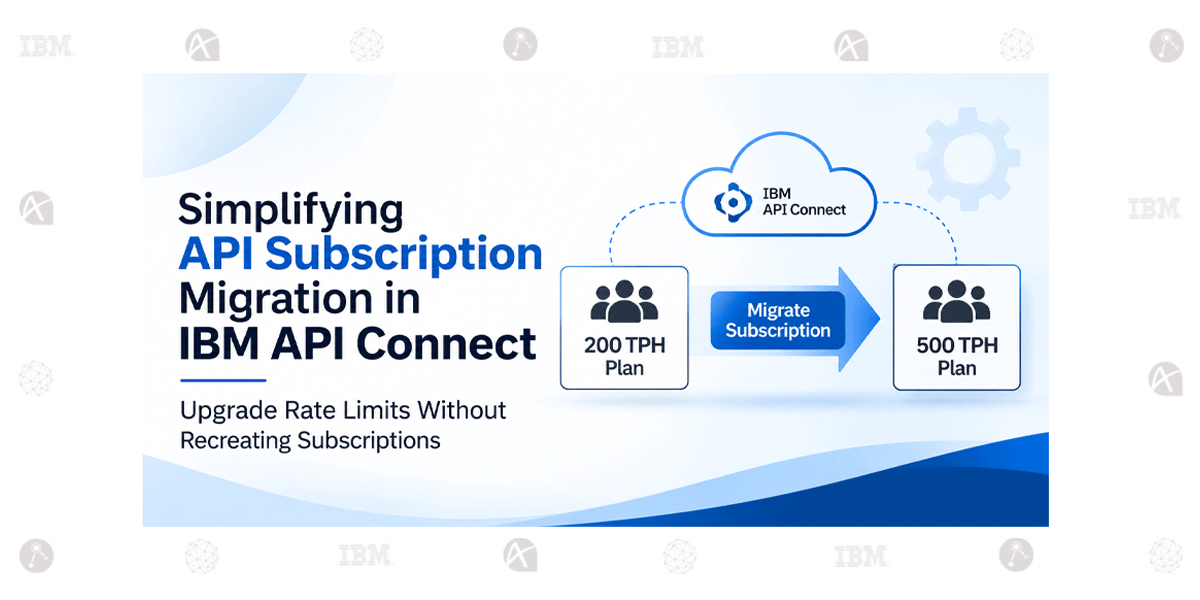
Simplifying API Subscription Migration in IBM API Connect
An API consumer’s requirements rarely remain the same. As business traffic grows, an application that initially operates comfortably within its API limits may eventually require higher throughput to support increased demand.
For API providers, upgrading a consumer to a higher subscription plan traditionally involves several administrative steps, including updating products, removing existing subscriptions, and creating new ones. This process can introduce unnecessary manual effort and the risk of temporary API access interruptions.
IBM API Connect simplifies this process with its Migrate Subscriptions feature, allowing API providers to move existing application subscriptions to a different plan without manually deleting and recreating them.
Why API Subscription Upgrades Become Challenging
Consider a consumer subscribed to an API plan that supports 200 transactions per hour (TPH). As business traffic increases, the consumer now requires a higher rate limit of 500 TPH.
Traditionally, the API provider would need to create a new plan, update and publish the product, remove the consumer’s existing subscription, and subscribe the application to the new plan.
The challenge
This approach involves multiple administrative steps. It also increases the possibility of mistakes during subscription management and may cause temporary API access interruptions while the subscription is being changed.
As the number of API consumers grows, managing these plan upgrades manually can become increasingly time-consuming.
Simplifying the Process with Migrate Subscriptions
IBM API Connect provides a built-in Migrate Subscriptions option in API Manager to simplify subscription plan transitions.
Instead of manually removing an existing subscription and creating another, API providers can migrate an application subscription from its current plan to a destination plan. The migration can be performed within the same product or to a supported destination product.
For example, a consumer subscribed to a 200 TPH plan can be migrated to a 500 TPH plan to accommodate increased traffic and business requirements.
Key idea
Subscription migration makes it possible to move an existing application subscription to the required plan without manually following the traditional unsubscribe-and-resubscribe process.
This makes subscription upgrades easier to manage while reducing the administrative effort associated with the traditional process.
How API Subscription Migration Works
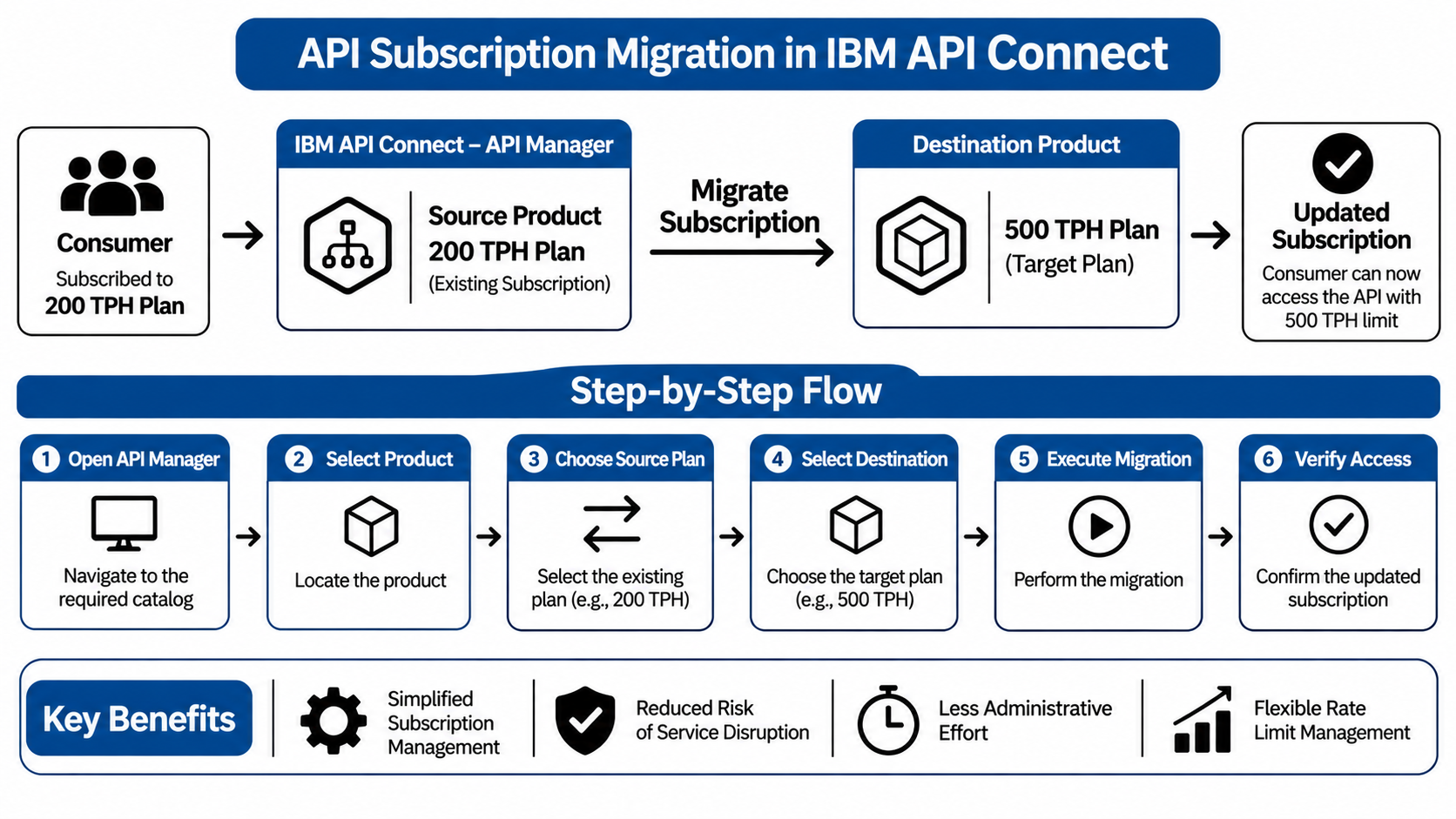
The migration process involves identifying the existing subscription, selecting the destination product and plan, and executing the migration through API Manager.
The overall flow is:
- Identify the consumer’s existing application subscription.
- Select the current subscription plan.
- Choose the destination product, if required.
- Select the new subscription plan with the required rate limit.
- Execute the migration.
- Verify the updated subscription and API access.
For the example discussed earlier, the existing 200 TPH subscription is migrated to the 500 TPH plan, allowing the consumer to operate with the higher rate limit.
Configuration Steps in IBM API Connect
Follow these steps to migrate an existing API subscription to a new plan.
Step 1: Open API Manager
Log in to API Manager and navigate to the required catalog where the API product is managed.
Step 2: Select the Product
Open the Products page and locate the relevant API product containing the existing subscription plan.
Step 3: Choose Migrate Subscriptions
Select the Migrate Subscriptions option available for the product to begin the migration process.
Step 4: Select the Source Plan and Subscription
Choose the existing plan, such as the 200 TPH plan, and identify the subscription belonging to the consumer whose rate limit needs to be upgraded.
Step 5: Select the Destination Product and Plan
Choose the destination product, where applicable, and select the required plan, such as the 500 TPH plan.
Step 6: Execute and Validate the Migration
Execute the migration and verify that the subscription has been updated successfully. Confirm that the consumer’s application can access the API under the new plan and that the expected rate limit is applied.
Important prerequisite
If the destination plan does not already exist, create the plan and publish the updated product before initiating the migration.
Key Benefits of Subscription Migration
Using the Migrate Subscriptions feature offers several operational advantages for API providers.
Simplified Subscription Management
API providers can move existing subscriptions to the required plan without manually deleting and recreating them.
Reduced Risk of Service Disruption
Avoiding the separate unsubscribe-and-resubscribe sequence helps reduce the risk of temporary API access interruptions during plan upgrades.
Less Administrative Effort
The migration process reduces repetitive manual steps, making subscription upgrades easier to manage.
Flexible Rate Limit Management
API consumers can move to higher-capacity plans as their business traffic and application requirements grow.
Production Considerations
Although subscription migration simplifies plan upgrades, API providers should validate the migration before performing it in production.
- Ensure the destination plan is available and published before starting the migration.
- Confirm that the correct consumer subscription and source plan have been selected.
- Verify that the destination plan provides the required rate limit.
- Validate the migrated subscription and API access after the operation.
- Consider the impact of plan changes on the consumer’s application traffic and usage requirements.
These checks help ensure that the migration is performed correctly and that the consumer receives the intended subscription capacity.